



01 / What's new
Your website gets better every few weeks.
Since June 2026 there have been well over a hundred releases. All websites run on the same platform, so every client received each improvement below automatically, without anything having to be rebuilt.
02 / October 2026
Forms, style and icons.
- 29 October 2026
Tailored style, no code
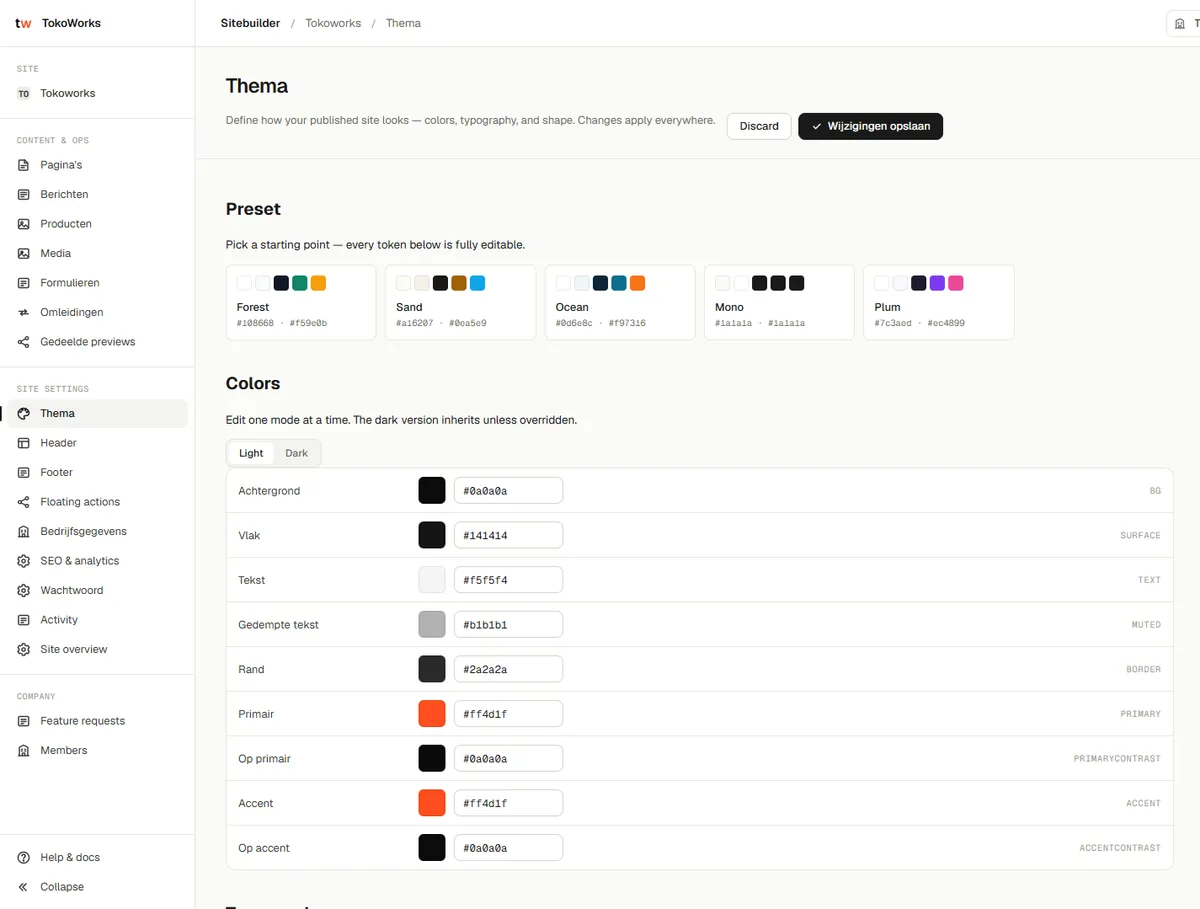
New style options for the whole theme, extra variants for blocks and a new callout block to make something stand out. If something still can't be done with settings, custom CSS now works reliably, from a clear Style & CSS page.
- 29 October 2026
Every icon from Lucide
The complete Lucide library is available: choose any icon by name, with a search function in the management environment.
- 29 October 2026
Centred footer
A setting to centre-align the footer, including the bottom line.
- 22 October 2026
Multi-step forms
A quote or request form in steps, with a progress bar. New field types: choice cards with an image, dimensions (such as width × height) and subheadings per step.
- 22 October 2026
Choice guide
A new block that guides visitors with a few questions to the service or product that suits them.
- 22 October 2026
Fields that check themselves
Forms instantly check whether a postcode, licence plate, KvK number, VAT number, IBAN, phone number or website is valid. With minimum and maximum, custom error messages per language, and the same check on the server.
- 22 October 2026
Number and date fields
New fields for numbers (including whole numbers only) and dates (for example, not in the past). Common field groups, such as an address, can be added in one click.
- 22 October 2026
Forms in your own style
In the theme you choose how input fields look, how compact a form is and how choice cards appear. Every form on the site follows that choice.
03 / August and September 2026
Bookings, chapters and product status.
- 3 September 2026
Figures in their own typeface
Prices, rates and dates can get their own typeface, separate from headings and body text. Columns of numbers in tables are neatly aligned.
- 27 August 2026
Your own booking tool on your site
Already using an online booking or reservation system, such as Zenchef? A floating button opens it in a panel on your own site, so visitors don't click away to book. On mobile, the panel gets the space it needs.
- 12 August 2026
View product photos large
Product photos open in a lightbox. Status colours, such as for 'sold' or 'new', are set per meaning in the theme.
- 10 August 2026
Chapters
Merge blocks into one continuous chapter with the same background and rhythm, or split them again. That way a page reads as a story instead of separate pieces.
- 10 August 2026
Product status on the photo
A status such as 'sold' or 'reserved' appears on the product photo, in a colour that matches its meaning. In the management environment you can preview how it looks.
- 10 August 2026
Warning for insecure links
Every link field warns about an insecure http link, and the SEO page shows which links on your site still need attention.
- 10 August 2026
Fixed texts in three languages
Texts the site chooses itself, such as buttons and messages, are available in Dutch, English and German. The theme gained background textures.
- 2 August 2026
More space between sections
Two extra generous steps of white space, for pages that need more room to breathe.
04 / July 2026
From your own domain to consent mode.
- 28 July 2026
Blocks within blocks
Place blocks side by side in columns, or create a long-read page with a progress bar, table of contents or numbered steps in the margin.
- 25 July 2026
Better forms and comparisons
Longer questions, a note under each question and custom colours for the confirmation after sending. The comparison block gained an accent column.
- 24 July 2026
A site that doesn't fall over
If a single block is unexpectedly damaged, the rest of the page keeps working. Next to your company name you can show a short note, such as 'Postal address'.
- 23 July 2026
Cookie banner in your own style
Custom texts and colours for the cookie banner. A photo carousel with arrows and a filmstrip in the lightbox, buttons below a timeline and up to four buttons in a call-to-action block.
- 22 July 2026
Measuring done right
Google Tag Manager and Consent Mode v2, with a cookie banner per category. Enquiries, button clicks and selected items are measured automatically, but only after consent.
- 17 July 2026
Tables and comparisons
A table block and a comparison matrix to put packages or options side by side. Heading styles are set centrally in the theme. Images gained a focal point, so the most important part always stays in view.
- 15 July 2026
Five styles for the mobile menu
Choose how the menu opens on a phone, with expandable submenus and good keyboard navigation.
- 14 July 2026
Header and footer with live preview
You adjust the header, footer, theme and floating buttons with a live preview. Changes are saved automatically as a draft and only go live when you publish.
- 11 July 2026
Products, blog and faster working
Products with search, filters, sorting and a carousel. The blog overview in five card styles. Copying and pasting blocks, and autosave.
- 9 July 2026
Menus and buttons of your choice
Dropdown menus in several styles, from panels to columns with an image. Menu items as buttons, custom button variants in the theme, links to a section on a page, and a confirmation per form in three languages.
- 8 July 2026
Light and dark
Visitors choose a light or dark display themselves. In the preview, you click the header or footer to edit it straight away.
- 5 July 2026
Your own domain, with a padlock
Connect your own domain name. The security certificate is arranged automatically, and for each domain you can see whether everything is set up correctly.
05 / June 2026
Where it began.
- 20 June 2026
Secure login
Logging in goes through TokoWorks Identity, with one account for all your access.
- 15 June 2026
The foundation
Pricing tables with a configurator, a before-and-after slider, calendar, tabs, locations, menu, newsletter sign-up, team overview, timeline, video and embedded widgets. Plus subtle animations on scroll.
A website that never stands still?
See what your new website looks like within one working day. Free and with no obligation.